

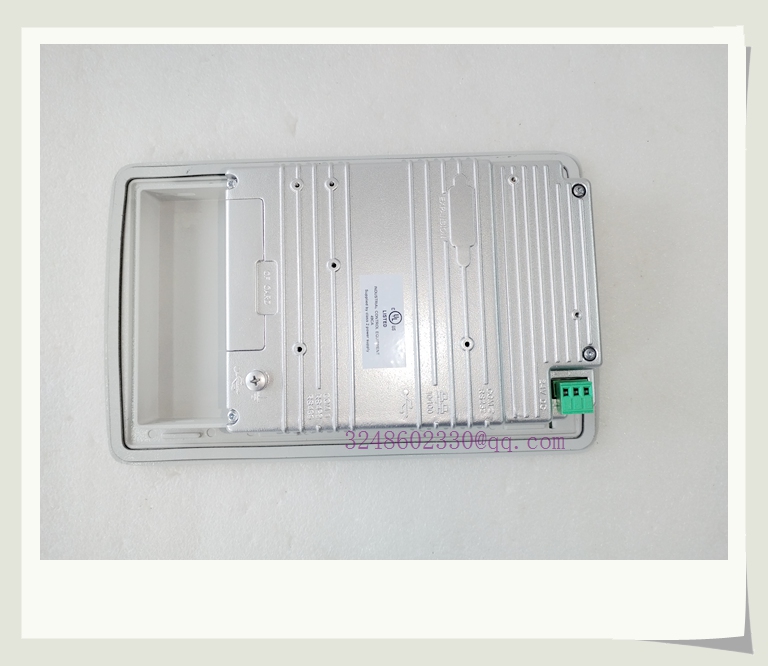
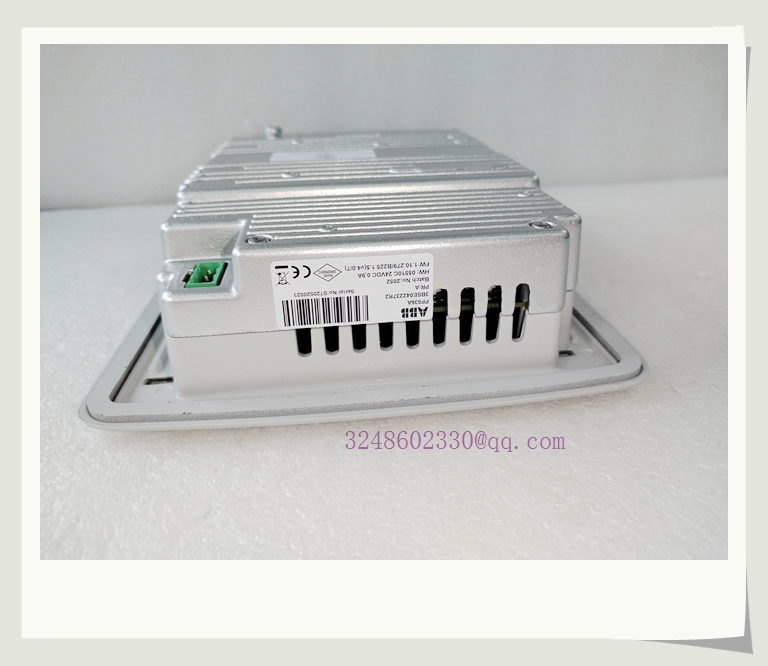
- Brand: ABB
- Model: PP836A
- Product Title: ABB Panel 800 Series PP836A Operator Panel
- Product Name: 6.5-inch TFT Touchscreen HMI for Industrial Automation
Product Description
The ABB PP836A is a standard operator panel within the Panel 800 series, designed to serve as a robust Human-Machine Interface (HMI) for industrial automation and process control applications. It features a 6.5-inch TFT color touchscreen with a resolution of 640×480 pixels, providing clear visualization of process data, trends, and alarms.
This panel is engineered for reliability in demanding industrial environments, featuring a rugged, powder-coated aluminum front panel with an IP66 protection rating. It supports multiple communication protocols, including Ethernet and serial interfaces (RS-232, RS-485), enabling seamless integration with a wide range of PLCs, DCS systems, and other industrial controllers. The PP836A is configured using ABB’s Panel Builder 800 software, which offers an intuitive, Windows-based environment for rapid application development.
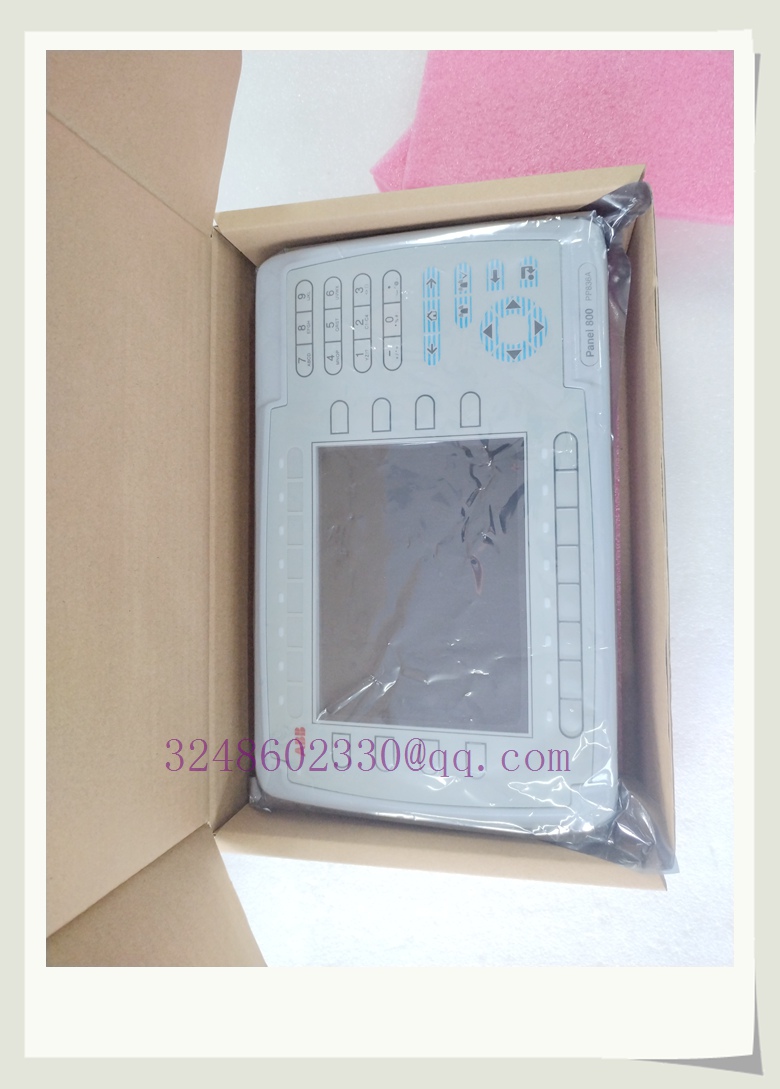
PP836A
Technical Specifications
- Product Series: ABB Panel 800 (Standard Type)
- Display Type: 6.5-inch TFT LCD, Color
- Resolution: 640 x 480 pixels
- Touchscreen: Analog Resistive Touch
- Front Panel Protection: IP66
- Rear Panel Protection: IP20
- Power Supply: +24V DC (20-30V DC)
- Communication Interfaces:
- Ethernet (10/100BASE-T)
- Serial Port 1: RS-232C (9-pin D-sub)
- Serial Port 2: RS-422/RS-485 (25-pin D-sub)
- USB Host (Type A) & USB Device (Type B)
- Operating Temperature: 0°C to +50°C (Vertical Installation)
- Storage Temperature: -20°C to +70°C
- Dimensions (W x H x D): 285 mm x 177 mm x 56 mm (Panel Depth)
- Weight: Approximately 1.4 kg
Key Features and Benefits
- Rugged Industrial Design: The die-cast aluminum front panel with IP66 rating ensures reliable operation in harsh, dusty, and wet environments, making it suitable for field installations.
- Versatile Connectivity: Built-in Ethernet and multiple serial ports allow for flexible integration into various network architectures and connection to legacy or modern controllers.
- Intuitive HMI Development: Panel Builder 800 software provides a comprehensive library of pre-tested templates, symbols, and functions, significantly reducing engineering and commissioning time.
- High-Visibility Display: The TFT screen with LED backlight offers excellent readability, wide viewing angles, and long service life, ensuring operators can monitor processes effectively.
- Open Platform: Based on open architecture and .NET framework, it supports connections to multi-vendor controllers, protecting your investment in existing automation assets.
Application Areas
- Manufacturing & Assembly Lines: Machine-level control, status monitoring, and production data collection.
- Process Industries: Operator interface for DCS/PLC systems in chemical, oil & gas, and water treatment plants.
- Energy & Power: Monitoring and control for substations, renewable energy systems, and auxiliary power units.
- Material Handling: Control panels for conveyors, sorters, and automated storage/retrieval systems (AS/RS).
- Marine & Offshore: Rugged HMI for engine control rooms and deck machinery monitoring.
Brand-Related Product Recommendations
- PP845A: A 10.4-inch touchscreen panel in the same Panel 800 series, offering a larger display for applications requiring more screen real estate.
- PP885: A high-performance panel in the Panel 800 series with faster processing, more memory, and advanced graphics capabilities for complex applications.
- Panel Builder 800 Software: The essential engineering tool for configuring, programming, and simulating PP836A and other Panel 800 series HMIs.
- ABB AC500 PLC: A scalable PLC platform that integrates seamlessly with Panel 800 HMIs for complete automation solutions.
Installation and Maintenance
Installation:
- Panel Cutout: Prepare the control panel enclosure according to the specified cutout dimensions in the PP836A installation manual.
- Mounting: Insert the panel into the cutout from the front. Secure it using the provided mounting brackets and tighten the screws to the specified torque (0.7 Nm ± 0.2 Nm) to ensure proper sealing and mechanical stability.
- Wiring: Connect the 24V DC power supply and communication cables to the rear connectors. Use shielded cables for serial and Ethernet connections and ensure proper grounding to minimize electrical noise.
- Power Up: Apply 24V DC power and verify the panel boots correctly. Load the application project created in Panel Builder 800 via USB or Ethernet.
Maintenance:
- Cleaning: Clean the touchscreen and front panel regularly with a soft, damp cloth and a mild, non-abrasive cleaner. Avoid solvents or abrasive materials that could damage the screen or seals.
- Seal Inspection: Periodically inspect the front panel gasket for signs of wear, cracking, or compression set. Replace the gasket if necessary to maintain the IP66 rating.
- Connection Check: During scheduled maintenance, verify that all rear connectors are secure and that cables are not subjected to excessive strain or vibration.
- Firmware Updates: Check the ABB website for firmware updates for the PP836A panel. Updating firmware can provide bug fixes, security patches, and new features.
- Battery Replacement: The panel contains a backup battery for the real-time clock. If the clock loses time after a power cycle, the battery may need to be replaced according to the service manual instructions.