

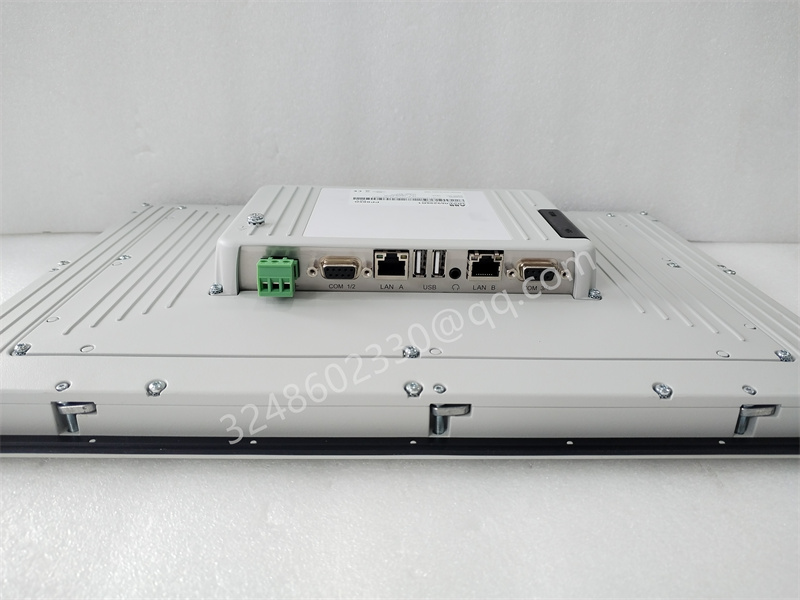
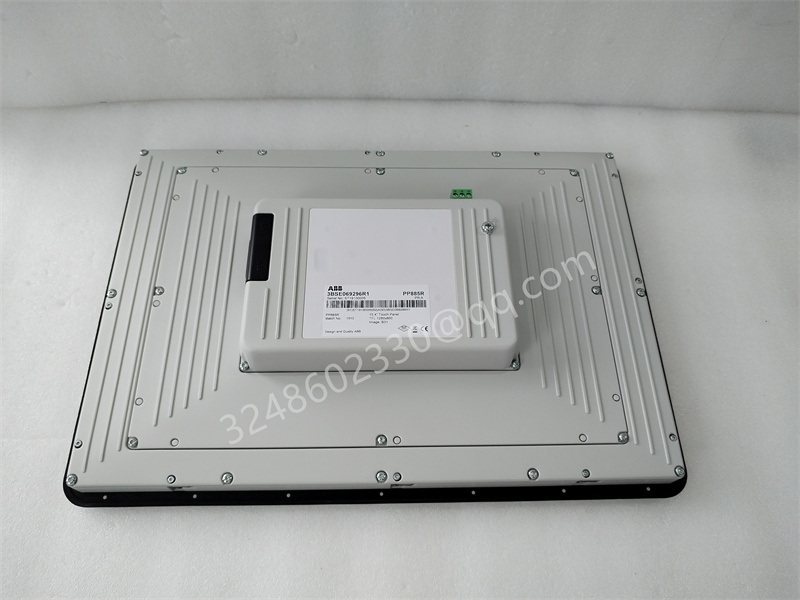
Product Profile: ABB PP885R 3BSE069296R1
Product Type: 15-inch Human Machine Interface (HMI) / Control Panel
Series: ABB System 800xA / Advant Master
1. Product Description
The ABB PP885R 3BSE069296R1 is a high-performance 15-inch Operator Panel designed for harsh industrial environments. As a critical component of the ABB System 800xA and Advant Master control systems, this unit serves as the primary interface between the operator and the automated process. It features an advanced touchscreen display integrated with a robust processing unit, enabling real-time visualization, data monitoring, and operational control. The device is engineered to withstand significant electrical noise, vibration, and temperature extremes, ensuring reliable operation in demanding sectors such as power generation, oil and gas, and manufacturing.
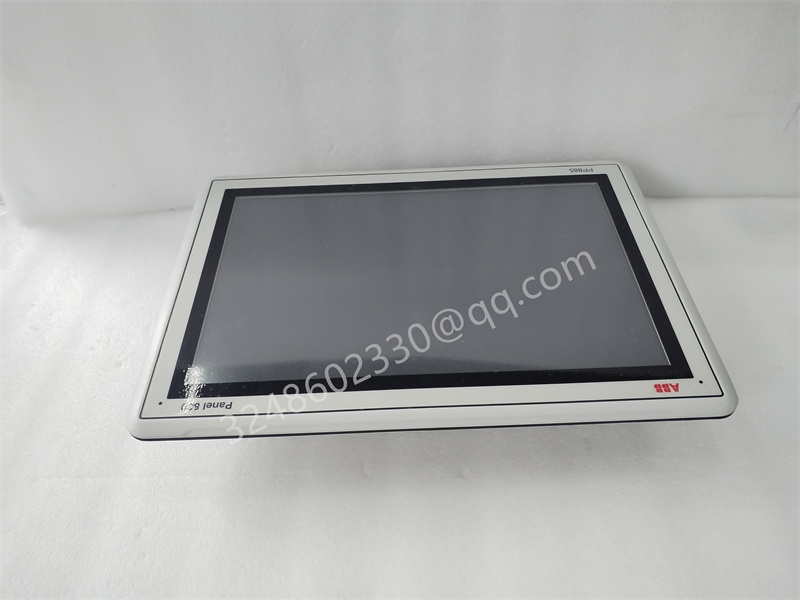
PP885R 3BSE069296R1
2. Technical Specifications
| Parameter | Specification |
|---|---|
| Model Number | PP885R |
| Order Code | 3BSE069296R1 |
| Display Type | TFT Color LCD |
| Screen Size | 15 inches |
| Display Resolution | 1024 x 768 pixels (XGA) |
| Touch Technology | Resistive Touchscreen (Analog) |
| Backlight | CCFL (Cold Cathode Fluorescent Lamp) |
| Processor (PM) | Typically equipped with Intel Celeron or similar low-power embedded processor |
| System Memory (RAM) | 256 MB — 512 MB (Dependent on specific revision) |
| Storage (Flash/Disk) | 256 MB — 1 GB Flash storage / SSD option |
| Interface Ports | 2 x USB 2.0, 1 x Ethernet (10/100 Mbps), 1 x RS-232 Serial, Keyboard/Mouse port |
| Supply Voltage | 24 V DC (nominal) |
| Power Consumption | Approx. 35 W (max) |
| Operating Temperature | 0°C to +50°C (32°F to 122°F) |
| Storage Temperature | -20°C to +60°C (-4°F to 140°F) |
| Humidity | 10% to 90% (non-condensing) |
| Enclosure Rating | IP65 (Front panel), NEMA 4/4X |
| Dimensions (WxHxD) | Approx. 400 x 310 x 70 mm (varies slightly by mounting) |
| Certifications | CE, UL, cUL |
3. Key Features and Advantages
Key Features:
- Rugged Industrial Design: The panel is housed in a durable aluminum enclosure with a sealed front panel, offering IP65 protection against dust and water jets.
- Advanced Visualization: The 15-inch XGA TFT screen provides sharp, high-contrast visuals suitable for complex process diagrams and HMI applications.
- Seamless Integration: Pre-installed with ABB software layers, it allows for plug-and-play connectivity with the AC 800M Controller and AC 900F Controllers.
- High Connectivity: Equipped with multiple communication interfaces including high-speed Ethernet for fast data transfer and legacy serial ports for older equipment.
- Flexible Mounting: Designed for panel mounting, fitting seamlessly into standard control room consoles and industrial cabinets.
Key Advantages:
- Reliability: Engineered for 24/7 continuous operation in mission-critical applications, minimizing downtime.
- User-Friendly Interface: The responsive resistive touchscreen ensures accurate operation even when the operator is wearing gloves.
- Scalability: Easily integrates into existing ABB architectures, allowing for system expansion without replacing peripheral hardware.
- Long-Term Availability: As part of ABB’s commitment to industrial lifecycle management, spares and support are structured for long-term use.
4. Application Areas
The PP885R is utilized across a wide spectrum of industries requiring precise monitoring and control:
- Power Generation: Turbine control, boiler supervision, and grid management visualization.
- Oil & Gas: Refinery process control, pipeline monitoring, and offshore platform automation.
- Chemical & Petrochemical: Batch process management and reaction vessel monitoring.
- Water & Wastewater: Pump station control and filtration plant management.
- Manufacturing: Production line tracking, robotics interface, and SCADA terminal operations.
5. Related Product Recommendations
To ensure system compatibility and optimal performance, the following related products are often recommended alongside the PP885R:
- Process Controllers:
- PM866 3BSE050200R1 (Processor Unit)
- PM861 3BSE018105R1
- PM860 3BSE018100R1
- Communication Modules:
- CI851 3BSE018135R1 (Profibus Module)
- CI860 3BSE020520R1 (Ethernet Module)
- CI871 3BSE056576R1 (Modbus TCP/IP Module)
- Power Supply Units:
- SD833 3BSE013172R1
- SD821 3BSE000311R1
- Alternative HMI Panels:
- PP886 3BSE069297R1 (12.1-inch variant)
- PP887 3BSE069298R1 (10.4-inch variant)
6. Installation and Maintenance
Installation Guidelines
- Environment Check: Ensure the installation location complies with the operating temperature (0–50°C) and humidity specifications. Avoid direct sunlight on the screen.
- Panel Cutout: Verify that the cabinet cutout matches the template dimensions provided in the manual to ensure a snug fit and proper sealing.
- Mounting: Insert the unit into the cutout and secure it using the provided mounting brackets from the rear. Tighten screws evenly to prevent torque stress on the bezel.
- Electrical Connections:
- Connect the 24 V DC power supply to the designated terminal, observing correct polarity (+/-).
- Ensure the grounding connection is secure to prevent electrostatic discharge (ESD) damage.
- Connect Ethernet and serial cables to the respective ports on the bottom or rear of the unit.
- Power Up: Apply power and verify that the boot sequence initiates. Check the backlight and touchscreen responsiveness.
Maintenance Instructions
- Cleaning: Clean the touchscreen and display using a soft, lint-free cloth slightly dampened with water or a mild, non-abrasive glass cleaner. Do not use solvents such as acetone or benzene, as they may damage the screen coating.
- Ventilation: Periodically check the fan vents (if equipped) for dust accumulation. Use compressed air to clear dust buildup to prevent overheating.
- Cable Inspection: Routinely inspect power and data cables for wear, fraying, or loose connections.
- Firmware Updates: Apply firmware patches only via authorized ABB software delivery tools to ensure system integrity.
- Backlight Replacement: Over time, the CCFL backlight may dim. If brightness falls below acceptable levels, the backlight unit (or the display assembly) should be replaced by qualified personnel.